


Maven Clinic
4.778.00 Reviews
App Specs
- Version
- 202608.2.0
- Updated On
- License
- Free
- Downloads
- 50,000+
- Developer
- Maven Clinic Co
- Categories
- Medical
- Platform
- Android
Screenshots
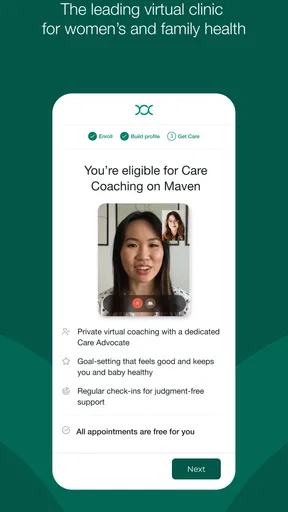
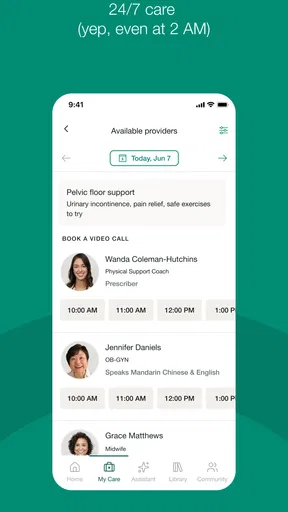
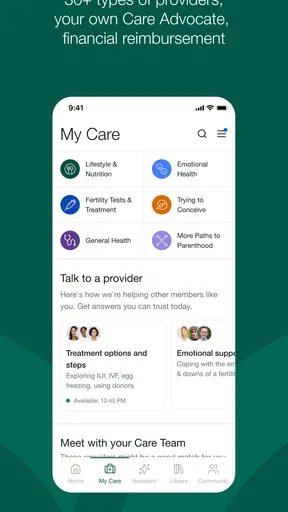
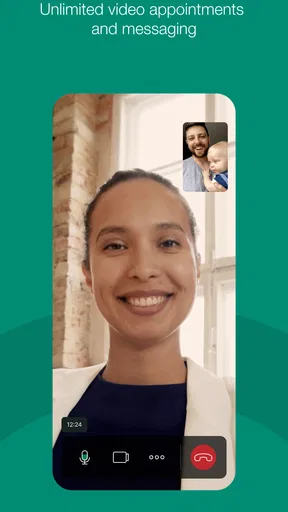
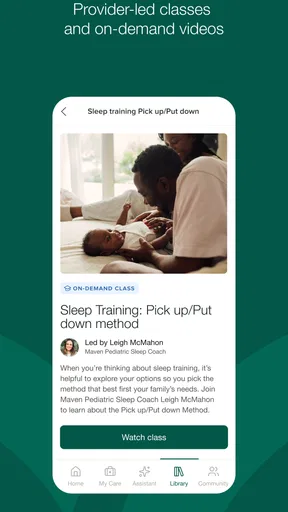
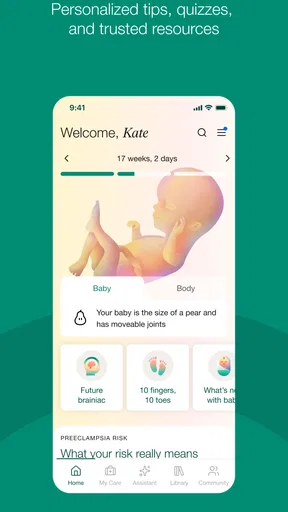
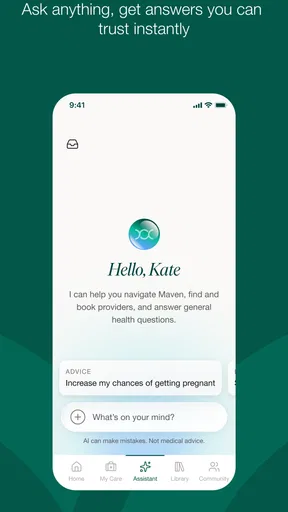
 Analysis by AppCompare
When health questions arrive in the middle of a busy household, the hardest part is often not finding information. It is deciding what to do next, who should handle it, and whether a routine concern needs a professional conversation. Maven Clinic is a medical app from Maven Clinic Co that I found most useful as a way to bring virtual care into that decision-making process. Its focus is family-oriented care, but the practical value depends on how each person in the household uses an account and manages private health conversations.
I would describe it as a companion for arranging and using remote medical support rather than a replacement for every part of healthcare. It can make certain consultations easier to fit around work, school, childcare, or travel. At the same time, it should not be treated as an emergency service or as a substitute for an in-person examination when a clinician needs to see, touch, test, or monitor something directly. That distinction shaped my overall impression more than the polished idea of virtual care itself.
How Maven Clinic works in a real household
I find Maven Clinic most useful when a household treats it as a way to make a suitable medical conversation easier to arrange, not as a shared family control panel. In this section, I’ll look at how a real household can divide practical help from personal health decisions, then consider the small routines that make that boundary easier to maintain.
A shared-device scenario that needs clear boundaries
Imagine a parent using a tablet in the kitchen to arrange a health conversation while another family member is nearby. The convenience is obvious: the device is already available, and a virtual appointment can fit into a short gap between everyday responsibilities. The risk is equally obvious: medical conversations are personal, and a shared screen or unlocked session can expose details that were never meant for everyone in the room.
For that reason, I would not approach Maven Clinic as a household dashboard that everyone casually passes around. I would treat it as an individual medical tool that may happen to be accessed from a shared device. Before opening an appointment or reading messages, I would check who is signed in, move to a private space, and close the session afterward. Those habits matter more here than they would with a shopping or entertainment app.
This is also where the app’s family emphasis can be misunderstood. A household may coordinate appointments, reminders, transportation, and follow-up tasks, but coordination is not the same as unrestricted access to another person’s health information. I found it more sensible to discuss responsibilities openly—who is helping with scheduling, who will attend a consultation, and who needs to know the outcome—rather than assuming that one person should manage everything.
A shared phone can be useful when someone needs help navigating a virtual visit, especially if they are tired, unwell, or less comfortable with technology. I would still hand control back to the patient whenever the conversation becomes personal. That small distinction preserves dignity and prevents the most organized person in the household from becoming an accidental gatekeeper.
Worth Reading Before You Choose

EA SPORTS FC Mobile 26 Is a Bigger Football Game, but It Takes Time

Flipboard Shows What News Apps Must Do Beyond the Feed

Switching to Android Auto Means Rethinking Your Driving Routine

Google Calendar Makes a Crowded Week Easier to Manage

Ludo King Makes the Most of the Minutes Between Plans

Baby Panda World Brings Quick Play to Modern Phones, but Its Game Library Feels Busy
Setup is simple in concept, but the account boundary matters
Because this is a medical app, setup should be approached more carefully than downloading a general wellness service. I would begin by identifying the person who will use the account, checking the profile details before arranging care, and making sure the device is protected by a screen lock. If several relatives use one phone, I would avoid leaving the app open between sessions.
The most important setup question is not simply whether the app launches. It is whether the right person is connected to the right conversation. A parent helping a teenager, a partner assisting an adult, or an adult child supporting an older relative may each need a different level of involvement. I would decide that boundary before an appointment rather than trying to negotiate it while a clinician is waiting.
I also recommend preparing the practical information that tends to disappear under pressure: current symptoms, when they began, medicines being taken, relevant allergies, previous advice, and the main question you want answered. A virtual consultation is easier to use when the patient is not trying to remember everything from scratch. This preparation is especially helpful when one family member is speaking on behalf of another.
One useful trade-off is that remote care can reduce travel and waiting-room friction, but it shifts some responsibility to the user. You need a reasonably quiet place, a working device, and enough attention to explain what is happening. If the household cannot provide that environment, the convenience advantage becomes much smaller.
Coordination without turning one person into the household’s receptionist
Maven Clinic makes the most sense to me when it supports a clear division of tasks. One person can help find a suitable time, another can make sure the patient has the necessary information, and the patient can still lead the actual medical conversation. That arrangement avoids a common problem with family healthcare: the person who handles logistics gradually becomes the person who speaks for everyone.
For a realistic weekday example, a parent might have a concern that does not seem urgent but is difficult to fit around school pickup. The parent can prepare a short symptom timeline, arrange a virtual conversation during a quieter window, and keep a note of the clinician’s guidance afterward. If another adult helps, that person can handle the practical side without taking over the patient’s private answers.
I would also use a simple household rule: after a consultation, write down the next action in plain language. That might mean monitoring a symptom, arranging another appointment, collecting information for an in-person visit, or seeking urgent help if the situation changes. The app can be part of that workflow, but it should not become the only place where the family remembers what happened.
This matters because virtual care can create a false sense of completion. A conversation may answer an immediate question while still leaving follow-up work. Families often lose track when several people share responsibility, so assigning one specific next step to one specific person is more reliable than saying that “we” will deal with it later.
Age, privacy, and trust deserve more attention than the Everyone label
The app is marked suitable for everyone, which makes it broadly approachable from an age-rating perspective. I would not interpret that as a promise that every medical conversation is equally suitable for every age or that a child should independently manage healthcare decisions. The appropriate adult involvement depends on the patient, the situation, and the boundaries the family has agreed on.
With younger users, I would focus on support and explanation rather than silent monitoring. Tell them why the app is being used, what the appointment is for, and who will be present. With teenagers, privacy becomes even more important. A young person may be more honest when they know they can speak without a parent answering every question, while a parent may still need to help with logistics and safety.
Older relatives can benefit from a family member assisting with the device, but assistance should not automatically mean control of the account. I would keep the patient involved in confirming details and deciding what they want help with. If the interface or virtual appointment process feels intimidating, a short practice run can reduce stress without making the patient feel excluded.
Trust also includes knowing when not to use a remote consultation. Severe or rapidly worsening symptoms, situations that may require immediate examination, and emergencies call for appropriate urgent or emergency services instead. Maven Clinic may be convenient for a non-urgent conversation, but convenience should never be the reason a household delays care that cannot safely wait.
What the app does well compared with usual alternatives
The clearest advantage over a traditional clinic visit is the reduction in travel and scheduling friction. For a routine question or a situation suited to remote discussion, staying at home can be genuinely helpful. It may also make it easier for a support person to be nearby without everyone rearranging an entire day around a waiting room.
Compared with searching the web, a virtual medical conversation offers a better route from worry to an individualized next step. Search results can help someone learn vocabulary, but they can also encourage endless comparison and unnecessary alarm. I prefer using general information only to prepare questions, then relying on a qualified clinician for advice about the person in front of them.
Compared with a phone call to a conventional office, the app’s family-care orientation may feel more aligned with the messy reality of household health. The benefit is not that every issue becomes effortless. It is that the digital route can fit more naturally into a family’s existing routine when the concern is appropriate for remote care.
Still, an in-person clinic is the better option when physical assessment, testing, procedures, or continuity with a local care team is central to the problem. A general health-information app may be better for learning background concepts without arranging a consultation. Maven Clinic sits between those choices: more personal than browsing, less physically complete than visiting a clinic.
Small habits that make the experience more useful
I would keep the first message or appointment explanation focused on one main concern and a short list of supporting details. A long, unfocused account can hide the question that actually needs an answer. If there are several unrelated issues, separating them makes it easier to understand which one is urgent, which one can wait, and which one belongs with another professional.
For family use, I would create a private preparation note outside the app rather than relying on memory during the consultation. Include dates in ordinary language, changes in symptoms, and what has already been tried. Do not include more personal information than necessary when sharing the note with another household member.
Another useful habit is to decide in advance who will be physically present during the virtual visit. An extra person can provide valuable context, but too many voices can make the appointment confusing and may discourage the patient from speaking freely. One helper is sometimes enough, and the patient should be able to ask for a private moment.
Finally, I would check the result against the original question before ending the conversation. If the household still does not understand the next step, ask for it in plain terms. This is not about making the appointment longer for its own sake; it is about avoiding a vague conclusion that leads to another round of uncertainty at home.
Performance, access, and what the listing tells you
Maven Clinic is free to download, and its medical category makes its purpose immediately clear. The app has a 4.7 average from around 579 ratings, with roughly 78 written reviews, and it has passed 50 thousand installs. Those figures suggest a meaningful level of use and a generally positive reception, but they do not tell me whether the service will fit a particular household’s healthcare arrangements.
The developer is Maven Clinic Co. The app was released in June 2018, and the current version is 202608.2.0. It requires iOS or Android 12 or newer, so anyone using an older phone or tablet should check the operating system before planning around it. That requirement is an easy detail to overlook when a family relies on an aging spare device.
The Everyone content rating is reassuring for general discoverability, but medical privacy still depends on how the household uses the device and account. I would not install it on a communal tablet without first considering who can unlock that tablet, who may see notifications, and whether the patient has a private place to speak.
Who should use it, and who should choose something else
I think Maven Clinic is a strong candidate for people who want family-oriented virtual care and who can manage their own account boundaries. It is particularly practical for households balancing work, childcare, school schedules, or mobility challenges, provided the health concern is suitable for remote discussion.
I would be more cautious if your household expects one master profile to manage every relative openly, because medical privacy does not work well with casual account sharing. I would also look elsewhere—or directly to urgent services—if you need immediate physical assessment, emergency treatment, laboratory work, imaging, or a procedure that cannot happen through a screen.
It may not be the best fit for someone who has an unreliable connection, an unsupported operating system, or no private environment for appointments. In those cases, a local clinic, a telephone service, or help from a trusted caregiver may be more dependable. The app’s value comes from combining access with a workable setting; remove either part and the experience becomes frustrating.
My household verdict
After looking at Maven Clinic through the lens of shared devices and family coordination, I see it as a useful medical access point rather than a complete household health-management system. I like the possibility of handling suitable conversations without turning every concern into a trip across town, and I appreciate that its family focus matches the way health decisions often affect more than one person.
My recommendation comes with a clear condition: keep accounts personal, protect private conversations, and agree on responsibilities before an appointment begins. Those steps are not extra polish; they are what make a family-oriented medical app respectful and practical. If you can maintain those boundaries and your concern is appropriate for virtual care, Maven Clinic is worth considering as a free option for bringing professional guidance closer to everyday family life.
Pros
- Virtual appointments make care accessible from home.
- Supports mental health
- maternity
- and chronic-care needs.
- Personalized care plans help guide users through treatment.
- Health resources are clearly organized and easy to browse.
- Care navigation can simplify finding suitable providers.
Cons
- Availability and services may depend on your employer or health plan.
- Some appointments may have limited time slots.
- Not all medical concerns can be handled through virtual care.
- Certain treatments may still require an in-person provider.
- The app may request extensive personal and health information.
FAQs for Maven Clinic
What is Maven Clinic, and who is it designed for?
Maven Clinic is a digital healthcare platform focused on women’s health, family health, and reproductive care. Depending on the plan available through an employer, health insurer, or other organization, members may access virtual consultations, educational resources, care programs, and support for topics such as fertility, pregnancy, parenting, menopause, pediatrics, and general wellness. Availability can vary by location and membership.
How do I access Maven Clinic’s services after downloading the app?
After installing Maven Clinic, you generally need to create an account or sign in using the eligibility details provided by your employer, health plan, or sponsoring organization. The app may ask you to confirm personal information and complete an intake questionnaire before showing available benefits. If your organization does not provide access, some features or the entire service may be unavailable.
Can I speak with a doctor or specialist through Maven Clinic?
Maven Clinic can provide access to virtual care professionals and specialized providers, although the exact options depend on your membership and location. You may be able to schedule video or messaging appointments for eligible concerns, including reproductive health, pregnancy, parenting, mental health, nutrition, and other care areas. The app is not intended to replace emergency medical services.
Does Maven Clinic protect my personal health information?
Maven Clinic handles sensitive personal and health information, so privacy is an important consideration before using the service. The platform describes security and privacy practices intended to protect member data, but users should still review the current privacy policy, consent notices, and account settings. Information shared with your employer or insurer may depend on the specific benefit arrangement.
Is Maven Clinic free to use, and are all services included?
The cost of Maven Clinic depends on how you receive access. Many members use it as an employer- or insurance-sponsored benefit, meaning eligible services may be available without a separate app subscription. However, coverage, appointment types, provider availability, and possible fees can differ between plans. Check your eligibility information and benefit terms before booking care or relying on a particular service.


